Easy Online Puzzles for Older Adults: A Beginner’s Guide
Start with a colourful 24- or 50-piece picture, keep rotation off and use a screen you can comfortably see. You do not need an account or a download. A friend can set up the room and send you the invitation.
Choose an easy puzzle →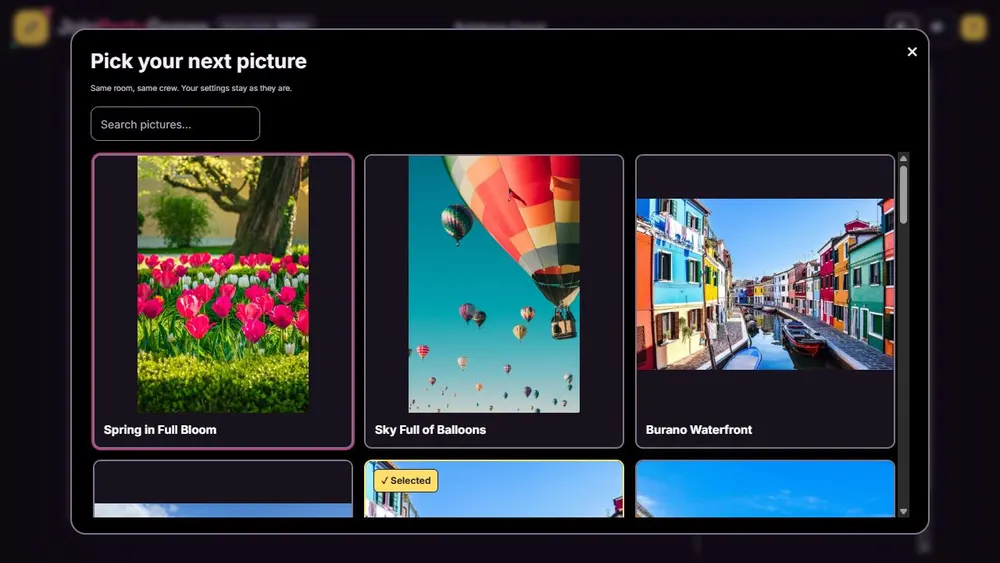
Choose comfortable settings first
A large screen gives you more room to see loose pieces. A tablet also works well if you prefer moving pieces with a finger. Choose light or dark mode according to which makes the picture and controls clearer for you.
Look for a picture with recognisable objects: a house, flowers, a boat or different coloured fruit. A wide expanse of blue sky or water is harder because many pieces look alike.
Start a small puzzle with someone you know
- Open Puzzle Party and choose Private lobby. Your friend can do this for you.
- Pick a picture. In Settings, open More puzzle options and choose 24 or 50 pieces. Leave Rotate the pieces switched off.
- Set picture views to unlimited if you want to look at the finished image whenever you need help.
- Send the invite link. Once both people are in the room, the host presses Start puzzling. Private games require at least two players.
Move your first piece
Press and hold a loose piece, move it towards the matching part of the board, then release. A correct fit snaps into place. Start with a corner or a recognisable object instead of trying to understand the whole picture at once.
If a piece is difficult to grab, zoom in. Use Center board if the picture moves out of view. Edges only highlights the frame pieces; it does not remove the others. On desktop, hover over a tool to read its label.
Keep the visit relaxed
Private games show scores, but you can agree to focus on finishing together. Avoid comparing speed if someone is still learning the controls. Let the person who needs more time place an obvious piece themselves.
Playing alone? Public tables can start with one player and allow other people to join. Use a private room when you want to control who receives the invitation. If you need to leave, do not assume an empty room will remain available for another day.
Questions before you play
Can I play without installing anything?
Yes. Open the game in a browser. An internet connection is needed to keep the shared board connected.
What if I lose sight of the pieces?
Use Show all to bring the board and loose pieces into view, then zoom in again. Center board returns your view to the picture.
Is this a memory treatment?
No. These are leisure games. Choose them because you enjoy the picture or the company, not as a treatment or a promised health benefit.